Client Setup
Point any OpenAI-compatible client at codex-lb. If API key auth is enabled, pass a key from the dashboard as a Bearer token.
Model availability is discovered from the upstream Codex model catalog and can vary by account plan, workspace, rollout, and upstream deprecation state. Prefer the live GET /v1/models or GET /backend-api/codex/models response over a copied static table when configuring clients or API-key model allowlists.
Images use a separate compatibility route: gpt-image-* models may be absent
from that catalog even when POST /v1/images/generations and
POST /v1/images/edits are available. Do not use catalog absence alone to
diagnose missing image support. See the
Images API example and troubleshooting notes.
The examples use gpt-6-astra for complex reasoning and coding, following OpenAI's model guidance. gpt-5.6-terra and gpt-5.6-luna remain alternative examples. Confirm that your live model catalog includes each selected model before using these configs.
The client budgets below are conservative example settings, not Astra's maximum context or output limits. Use your live catalog's limits when adjusting them. The 872k opt-in applies to any model whose catalog entry reports a max_context_window above its context_window — check GET /backend-api/codex/models for the model you select. Existing pinned model IDs remain valid only while your upstream account serves them; retired slugs such as gpt-5.3-codex, gpt-5.3-codex-spark, and gpt-5.1-codex-mini were dropped from the upstream bundled catalog and should no longer be used in new configs.
| Client | Endpoint | Config |
|---|---|---|
| Codex CLI | http://127.0.0.1:2455/backend-api/codex |
~/.codex/config.toml |
| OpenCode | http://127.0.0.1:2455/v1 |
~/.config/opencode/opencode.json |
| OpenClaw | http://127.0.0.1:2455/v1 |
~/.openclaw/openclaw.json |
| Hermes Agent | http://127.0.0.1:2455/v1 |
~/.hermes/config.yaml |
| OpenAI Python SDK | http://127.0.0.1:2455/v1 |
Code |
Codex CLI / IDE Extension
~/.codex/config.toml:
model = "gpt-6-astra"
model_reasoning_effort = "xhigh"
model_provider = "codex-lb"

[features]
api_key_model_discovery = true

[model_providers.codex-lb]
name = "openai"  # required — enables remote /responses/compact. Lowercase since Codex 2026-05-23; older "OpenAI" stops resolving gpt-5.5
base_url = "http://127.0.0.1:2455/backend-api/codex"
model_catalog_url = "http://127.0.0.1:2455/backend-api/codex/models"
wire_api = "responses"
supports_websockets = true
supports_standalone_web_search = true # requires codex-lb >= 1.22.0
requires_openai_auth = true # required for codex app
Model discovery in the Codex app
Verified with Codex 0.159.0: a provider configured with env_key uses API-key
model discovery even when requires_openai_auth = true. For a custom
base_url, discovery needs both features.api_key_model_discovery = true
and an explicit model_catalog_url. Without both, Codex uses its bundled
model list and can omit models that codex-lb already advertises. Selecting
a model with model = "..." does not itself refresh the picker.
Since Codex 0.166.0, api_key_model_discovery is stable and enabled by
default, but a custom provider authenticated by API key still needs an
explicit model_catalog_url for remote discovery. Keeping the feature
setting is harmless with newer clients.
The examples include both settings. Keep each catalog URL on the same host
and port as its provider's base_url; update both when using a remote
installation. Merge these keys into existing [features] and provider
tables rather than duplicating the tables, then fully quit and reopen the
Codex app. See the model discovery context
for the client-side conditions and verification scope.
Native web search
supports_standalone_web_search = true declares that the custom provider supports
Codex's standalone search endpoint; it requires codex-lb >= 1.22.0.
Custom providers default this capability to false, so --search alone may not
make native search available. Use codex --search for live search in one session,
or set web_search = "live" at the top level of config.toml for a persistent
preference. This provider capability is separate from the experimental
[features].standalone_web_search flag; enabling that feature flag is not part
of this setup. The Codex version and selected model must also support standalone
search. See OpenAI's web-search documentation
and the standalone search proxy specification.
Opting into the 872k context window
GPT-5.6 ships a 272,000-token default input budget with an 872,000-token
maximum. codex-lb advertises both — context_window and max_context_window
on GET /backend-api/codex/models — and the Codex CLI stays on the default
until you raise it in ~/.codex/config.toml (top level, before any
[section] header):
model_context_window = 872000
- Values above
max_context_windoware clamped to it:model_context_window = 1000000resolves to 872,000 and does not unlock a 1M window. - Leave
model_auto_compact_token_limitunset. Codex auto-compacts at 90% of the resolved window — 784,800 tokens here — and clamps any larger configured value down to that, so setting900000is a no-op. Set it only to compact earlier. - Cost: input beyond the 272,000-token threshold is metered at the upstream long-context rate. That threshold is why 272,000 stays the default.
These keys are Codex-CLI-only. /v1/models reports the default
input budget, not the ceiling. The OpenCode and OpenClaw examples below use
conservative client budgets; adjust them against your selected model's live catalog entry.
Daybreak Blue profile (Trusted Access)
Use a separate provider for authorized defensive cybersecurity work. The
ordinary codex-lb provider above must remain free of the capability header;
adding it there would classify every request as requiring the restricted pool.
First add this opt-in provider to the same machine-local
~/.codex/config.toml:
[model_providers.codex-lb-daybreak-blue]
name = "openai"
base_url = "http://127.0.0.1:2455/backend-api/codex"
model_catalog_url = "http://127.0.0.1:2455/backend-api/codex/models"
wire_api = "responses"
env_key = "CODEX_LB_API_KEY"
supports_websockets = true
requires_openai_auth = true
http_headers = { "X-Codex-LB-Required-Capability" = "trusted_cyber" }
Then create ~/.codex/daybreak-blue.config.toml:
model = "gpt-6-astra"
model_provider = "codex-lb-daybreak-blue"
Activate it explicitly for the task or orchestration root that needs the restricted route:
export CODEX_LB_API_KEY="sk-clb-..." # key from the dashboard
codex --profile daybreak-blue
codex exec --profile daybreak-blue "<authorized defensive task>"
Current Codex versions load named profiles from sibling
<profile>.config.toml files; legacy [profiles.<name>] tables are no longer
selected. Provider and profile keys are machine-local, so a project
.codex/config.toml cannot activate this route. See the official
Codex profile documentation.
The static header is an authenticated routing requirement, not a grant. Use
this profile only when the selected identity and ChatGPT workspace or API
organization/project are already approved for the intended Codex product
surface. The dedicated provider always supplies a Codex LB API key because
unauthenticated capability carriers are rejected even on a local deployment.
When the capability header is present, Codex LB validates that key for the
request even if global API-key auth is disabled; ordinary requests without the
header keep the deployment's normal auth behavior. Current Codex clients may
fall back from WebSocket to HTTP even when supports_websockets = true, and
static provider headers also accompany control and Images requests. Codex LB
authenticates capability-bearing HTTP and non-Responses WebSocket requests and
then rejects them with required_capability_transport_unsupported before
account selection or upstream dispatch. This includes Responses/compact HTTP
fallback, Codex control, admission, warmup, files, transcription, Chat
Completions, Images, reset-credit consume, and Live WebSockets; Chat Completions
is guarded defensively if a provider client reaches that equivalent routing
sink. Authenticated /models initialization and local API-key usage or
reset-credit listings remain available because they do not route an upstream
account. Restore direct Responses WebSocket availability
instead of removing the carrier or retrying through ordinary HTTP. Codex LB
narrows a direct WebSocket turn's first and later account selections to eligible accounts already marked
security_work_authorized; if none are available, it fails closed without
ordinary fallback. Selecting gpt-6-astra by itself does not activate this
path. A model name or alias does not grant Trusted Access authorization. See
OpenAI's
Trusted Access guidance.
Complete inert examples are available as
config.toml and
daybreak-blue.config.toml. To
roll back, stop using --profile daybreak-blue, remove the profile file, and
optionally remove only the codex-lb-daybreak-blue provider block. No server or
database change is required.
This documented requires_openai_auth = true setup makes the provider eligible
for Codex's built-in $imagegen tool, but the Daybreak carrier is intentionally
rejected on the Images HTTP routes before their ordinary account-routing
pipeline. Consequently $imagegen fails closed inside the Daybreak profile;
do not remove the carrier to make it work during a restricted task. Use the
ordinary provider only for separate work that does not require Daybreak
routing. Provider configurations that intentionally skip OpenAI login have a
different eligibility path; see the Images compatibility context.
WebSocket transport
Optional: pin native upstream WebSockets for Codex streaming while keeping codex-lb pooling.
The upstream stream transport is a dashboard setting: Settings → Routing → Upstream stream
transport (auto, http, or websocket). It applies without a restart and is the only place
this value is configured; there is no environment variable for it.
auto is the default and uses native WebSockets for native Codex headers or models that prefer them.
Note: Codex itself does not currently expose a stable documented
wire_api = "websocket" or WebSocket-only provider mode.
supports_websockets = true enables WebSocket attempts but does not disable
HTTP fallback. Removed responses_websockets feature flags are not a
fail-closed transport control.
Upstream websocket handshakes automatically honor standard proxy environment variables when they are
present. wss:// handshakes check wss_proxy, socks_proxy, https_proxy, and all_proxy;
plain ws:// handshakes also check ws_proxy and http_proxy. Set
CODEX_LB_UPSTREAM_WEBSOCKET_TRUST_ENV=false only when websocket handshakes must bypass those
environment proxies and connect directly.
With API key auth
When API key auth is enabled:
[features]
api_key_model_discovery = true

[model_providers.codex-lb]
name = "openai"
base_url = "http://127.0.0.1:2455/backend-api/codex"
model_catalog_url = "http://127.0.0.1:2455/backend-api/codex/models"
wire_api = "responses"
env_key = "CODEX_LB_API_KEY"
supports_websockets = true
supports_standalone_web_search = true # requires codex-lb >= 1.22.0
requires_openai_auth = true # required for codex app
export CODEX_LB_API_KEY="sk-clb-..."   # key from dashboard
codex
Verify WebSocket transport
Use a one-off debug run:
RUST_LOG=debug codex exec "Reply with OK only."
Healthy websocket signals:
- CLI logs contain
connecting to websocketandsuccessfully connected to websocket codex-lblogs showWebSocket /backend-api/codex/responsescodex-lblogs do not show fallbackPOST /backend-api/codex/responsesfor the same run
If you run codex-lb behind a reverse proxy, make sure it forwards WebSocket upgrades — see Remote Access.
Migrating from direct OpenAI (session retagging)
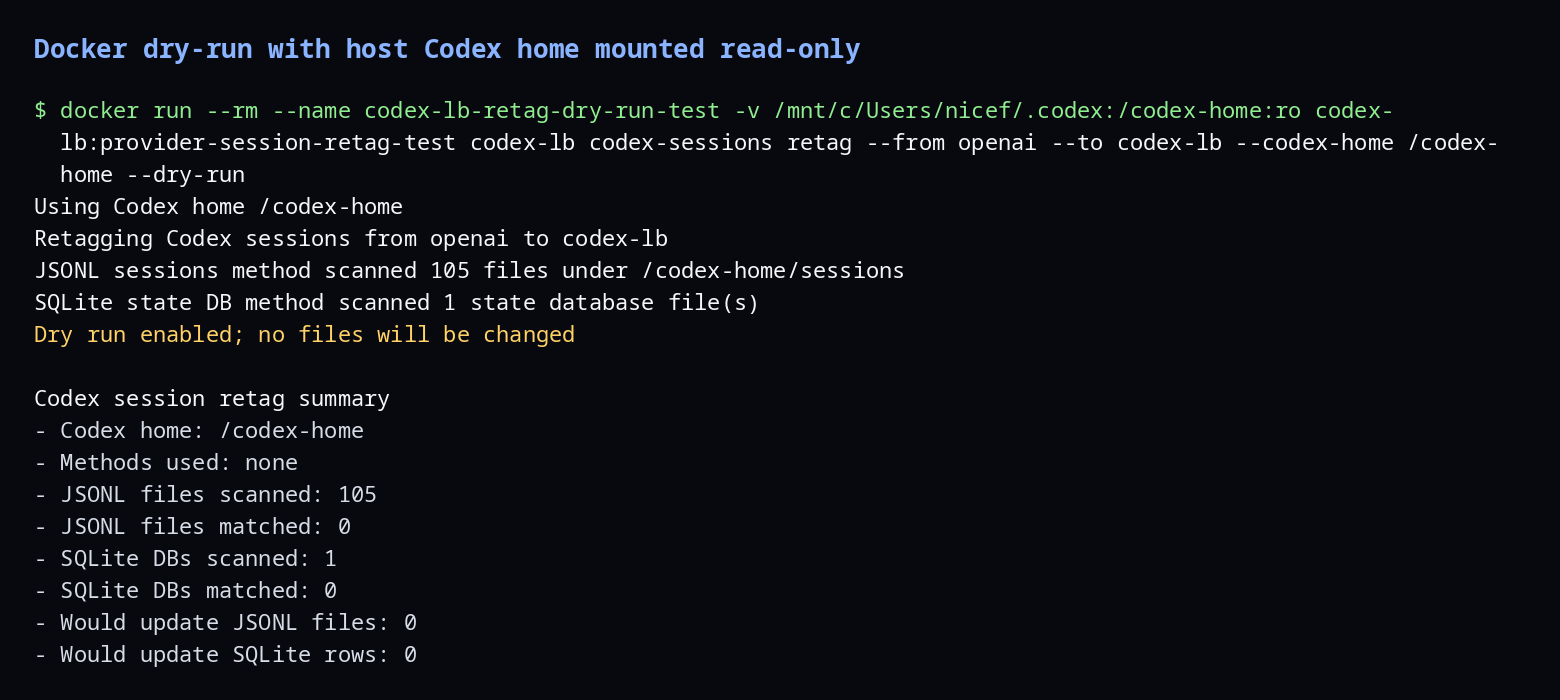
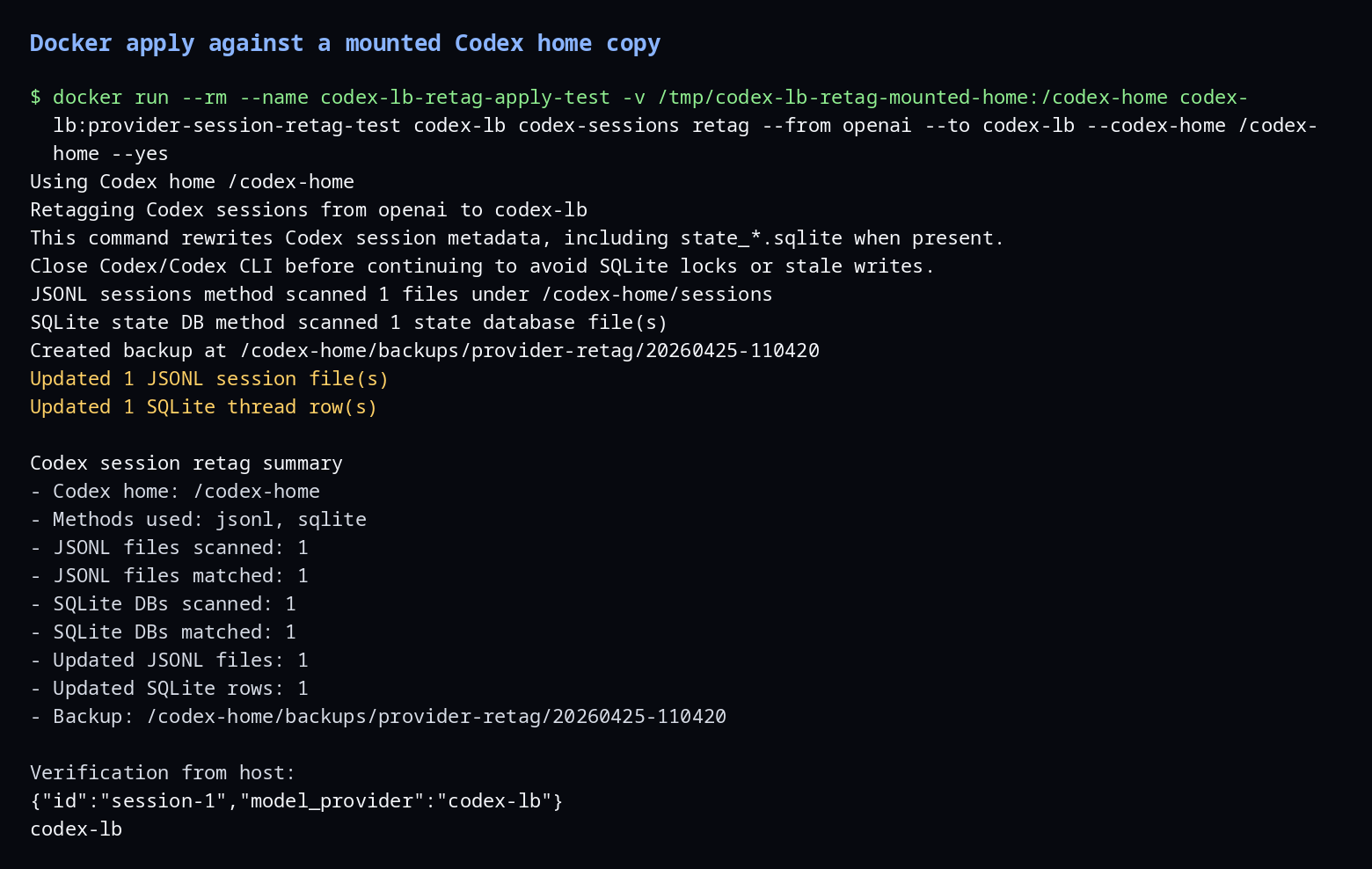
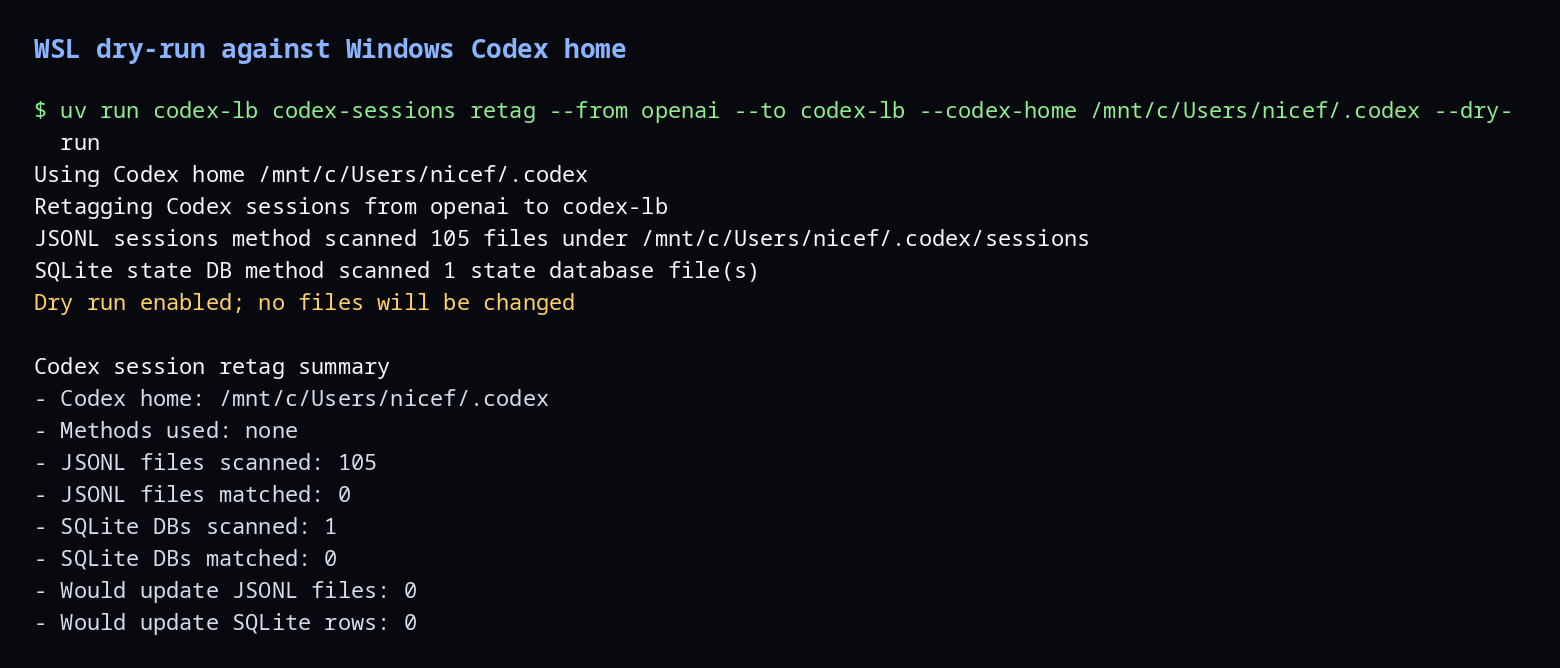
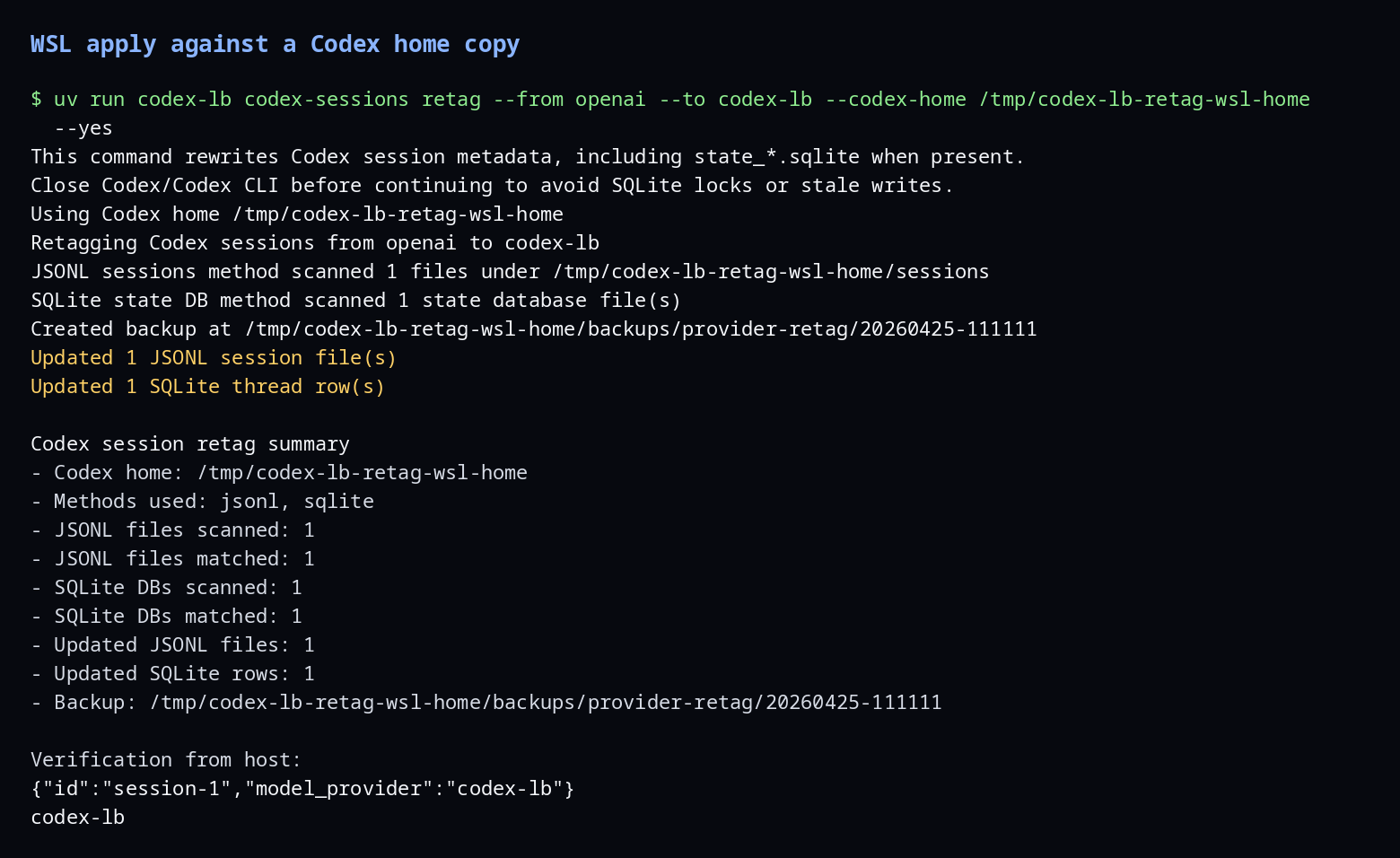
codex resume filters by model_provider; old sessions won't appear until you re-tag them. Use the built-in retag command instead of editing Codex files by hand; see Codex session retagging for backups, Docker, WSL, and rollback details.
# Preview what will change first.
codex-lb codex-sessions retag --from openai --to codex-lb --dry-run

# Then close Codex/Codex CLI and apply the retag.
codex-lb codex-sessions retag --from openai --to codex-lb --yes
| Dry run (Docker) | Apply (Docker) |
|---|---|
 |
 |
| Dry run (WSL) | Apply (WSL) |
|---|---|
 |
 |
OpenCode
Important
Use the built-in openai provider with baseURL override — not a custom provider with @ai-sdk/openai-compatible. Custom providers use the Chat Completions API which drops reasoning/thinking content. The built-in openai provider uses the Responses API, which properly preserves encrypted_content and multi-turn reasoning state.
Before starting, please ensure that all existing OpenAI credentials are cleared in ~/.local/share/opencode/auth.json.
You can clean the config by using this one-liner:
jq 'del(.openai)' ~/.local/share/opencode/auth.json > auth.json.tmp && mv auth.json.tmp ~/.local/share/opencode/auth.json
~/.config/opencode/opencode.json:
{
  "$schema": "https://opencode.ai/config.json",
  "provider": {
    "openai": {
      "options": {
        "baseURL": "http://127.0.0.1:2455/v1",
        "apiKey": "{env:CODEX_LB_API_KEY}"
      },
      "models": {
        "gpt-6-astra": {
          "name": "GPT-6 Astra",
          "reasoning": true,
          "options": { "reasoningEffort": "xhigh", "reasoningSummary": "detailed" },
          "limit": { "context": 272000, "output": 65536 }
        },
        "gpt-5.6-terra": {
          "name": "GPT-5.6-Terra",
          "reasoning": true,
          "options": { "reasoningEffort": "high", "reasoningSummary": "detailed" },
          "limit": { "context": 272000, "output": 65536 }
        },
        "gpt-5.6-luna": {
          "name": "GPT-5.6-Luna",
          "reasoning": true,
          "options": { "reasoningEffort": "medium", "reasoningSummary": "detailed" },
          "limit": { "context": 272000, "output": 65536 }
        },
        "gpt-5.5": {
          "name": "GPT-5.5",
          "reasoning": true,
          "options": { "reasoningEffort": "high", "reasoningSummary": "detailed" },
          "limit": { "context": 272000, "output": 65536 }
        }
      }
    }
  },
  "model": "openai/gpt-6-astra"
}
This overrides the built-in openai provider's endpoint to point at codex-lb while keeping the Responses API code path that handles reasoning properly.
export CODEX_LB_API_KEY="sk-clb-..."   # key from dashboard
opencode
OpenClaw
~/.openclaw/openclaw.json:
{
  "agents": {
    "defaults": {
      "model": { "primary": "codex-lb/gpt-6-astra" },
      "models": {
        "codex-lb/gpt-6-astra": { "params": { "cacheRetention": "short" } },
        "codex-lb/gpt-5.6-terra": { "params": { "cacheRetention": "short" } },
        "codex-lb/gpt-5.6-luna": { "params": { "cacheRetention": "short" } }
      }
    }
  },
  "models": {
    "mode": "merge",
    "providers": {
      "codex-lb": {
        "baseUrl": "http://127.0.0.1:2455/v1",
        "apiKey": "${CODEX_LB_API_KEY}",   // or "dummy" if API key auth is disabled
        "api": "openai-responses",
        "models": [
          {
            "id": "gpt-6-astra",
            "name": "gpt-6-astra (codex-lb)",
            "contextWindow": 272000,
            "contextTokens": 272000,
            "maxTokens": 4096,
            "input": ["text"],
            "reasoning": false
          },
          {
            "id": "gpt-5.6-terra",
            "name": "gpt-5.6-terra (codex-lb)",
            "contextWindow": 272000,
            "contextTokens": 272000,
            "maxTokens": 4096,
            "input": ["text"],
            "reasoning": false
          },
          {
            "id": "gpt-5.6-luna",
            "name": "gpt-5.6-luna (codex-lb)",
            "contextWindow": 272000,
            "contextTokens": 272000,
            "maxTokens": 4096,
            "input": ["text"],
            "reasoning": false
          }
        ]
      }
    }
  }
}
Set the env var or replace ${CODEX_LB_API_KEY} with a key from the dashboard. If API key auth is disabled,
local requests can omit the key, but non-local requests are still rejected until proxy authentication is configured.
The /v1 route is the simplest OpenAI-compatible setup. If your OpenClaw build uses a Codex-native provider path such as openai-codex-responses and needs Codex-style usage/accounting behavior, point that provider at http://127.0.0.1:2455/backend-api/codex instead. For third-party Codex-compatible backends, the client must allow opaque bearer-token passthrough and should only send chatgpt-account-id when it actually decoded one from an official ChatGPT/Codex token.
Hermes Agent
Hermes Agent works with any model provider; point a named custom provider at codex-lb with the codex_responses API mode so multi-turn reasoning state is preserved over the Responses API (the plain chat_completions mode drops reasoning content, same caveat as OpenCode).
~/.hermes/config.yaml:
custom_providers:
  - name: codex-lb
    base_url: http://127.0.0.1:2455/v1
    key_env: CODEX_LB_API_KEY   # omit for local runs without API key auth
    api_mode: codex_responses
Then select the model interactively with hermes model, or in a session:
/model custom:codex-lb:gpt-6-astra
export CODEX_LB_API_KEY="sk-clb-..."   # key from dashboard
hermes
OpenAI Python SDK
from openai import OpenAI

client = OpenAI(
    base_url="http://127.0.0.1:2455/v1",
    api_key="sk-clb-...",  # from dashboard, or any non-empty string if auth is disabled
)

response = client.chat.completions.create(
    model="gpt-5.6-terra",
    messages=[{"role": "user", "content": "Hello!"}],
)
print(response.choices[0].message.content)
Specs: responses-api-compat · images-api-compat · chat-completions-compat · realtime-api-compat · proxy-admission-control · proxy-warmup · files-upload-protocol · audio-transcriptions-compat · model-catalog-compat · runtime-portability